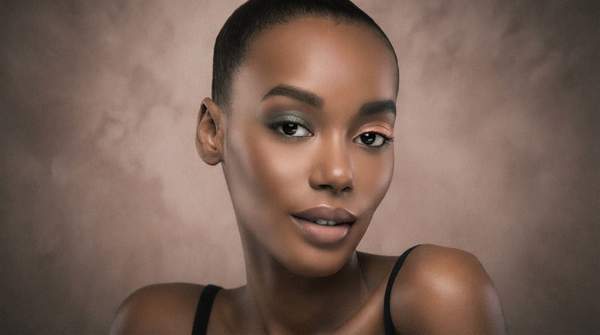
Virtual makeup try-on works through a real-time pipeline: your camera captures your face, AI detects your facial features, a 3D mesh is built as a digital canvas, product data is applied, and augmented reality overlays the finished look on your screen. It is not a static filter. It is a sequence of technologies working together, frame by frame.
Why does that matter to you? Because once you understand the stages, you can judge any try-on tool on its merits. You can see where realism is won or lost.
Introduction to Virtual Makeup Try-On
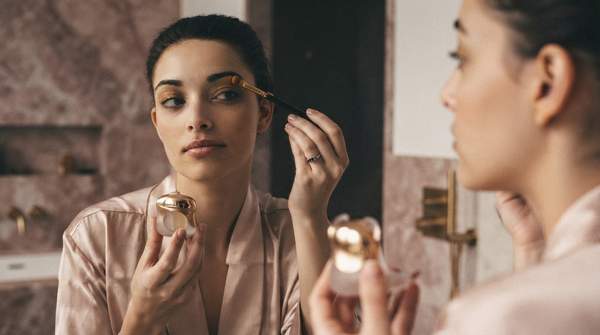
Think of virtual try-on as a digital mirror. Using augmented reality, it overlays cosmetic effects on your face in real time, letting you test products without applying anything physically, as Modelia describes it. L'Oréal Paris markets its own tool as an immersive simulator built on AR for "highly realistic virtual makeup application."
The appeal is practical. You can test dozens of shades instantly, at home or in-store. Maybelline's tool, for example, lets you use a live camera, upload a photo, or select a model, then compare up to four products side by side with a before-and-after slider.
But how does the software actually know where your lips end and your skin begins? That is where the six-stage process begins.
How Virtual Makeup Try-On Works: A Step-by-Step Model
The table below deconstructs the real-time process into its distinct technological stages. Follow it left to right: each stage feeds the next, from raw camera input to the final AR display.
| Stage | Key Technology | What It Does |
|---|---|---|
| 1. Camera Input & Image Capture | Device camera, live video or photo | Captures your face via live camera, an uploaded photo, or a chosen model, as Maybelline's tool allows. |
| 2. Facial Landmark Detection | AI-based computer vision | Detects facial features like eyes, cheeks, and nose shape on the image or video, per AlgoFace's technical description. |
| 3. 3D Mesh Generation | Face tracking and 3D modeling | Builds a mesh mirroring your face's contours and expressions, creating the digital canvas for makeup placement. |
| 4. Product Data Input | Brand-specific digital palettes | Loads the selected eyeshadow, lipstick, mascara, or foundation with its defined color and texture properties. |
| 5. AI Rendering & Simulation | AI color and texture algorithms | Matches shades to your skin tone and simulates finishes like gloss or matte on the target area. |
| 6. AR Overlay & Display | Augmented reality | Overlays the rendered makeup onto your live feed, moving naturally with every expression. |
The key insight: facial recognition, AI, and AR are three separate roles. Detection finds your features. AI decides how the product looks on them. AR makes the result visible and interactive.
Stage 1: Real-time Face Capture and Landmark Detection
Everything starts with input. You open the tool, and it asks for a live camera, a photo, or a model image. Maybelline advises users to be in a well-lit room and remove existing makeup for best results — a hint that input quality shapes everything downstream.
Then the analysis begins. AI algorithms detect facial features — eyes, cheeks, even the shape of your nose — on the image or video, as AlgoFace explains. LeewayHertz describes the same capability: algorithms that accurately detect facial features so users can visualize how a product will appear on their skin tone and face shape.
This stage is foundational. If detection is off, every later stage inherits the error.
Stage 2: 3D Facial Mesh Generation
Detection alone is not enough. The software needs a canvas. Using face tracking and 3D modeling, it builds a mesh that mirrors your face's contours and expressions, according to AlgoFace.
Why a 3D mesh rather than a flat image? Because your face moves. Banuba, an AR technology provider, notes that face tracking ensures products move naturally with every expression and don't slip off like static masks.
The mesh is what keeps virtual lipstick on your lips when you smile, and virtual liner on your lids when you blink.
Stage 3: AI-Powered Makeup Rendering and Simulation
Now the makeup itself enters the pipeline. The app is customized to each brand's actual eyeshadows, lipsticks, mascaras, blushes, and foundations — the digital palette must faithfully represent real products.
Then AI does the artistic work. A Panasonic patent filing from 2023 describes the mechanics precisely: the system extracts a target area like the lips from the facial image, applies the desired color, and then adds specific texture components to parts of that area for each makeup item. That is how a lipstick can appear gloss, matte, or balm-like.
L'Oréal's own 2023 patent describes a complementary approach: a system that analyzes facial images with machine learning to identify features and skin tone, then generates customized makeup looks synced to the user's face.
Stage 4: Augmented Reality Overlay and Display
The final stage is what you actually see. The rendered makeup is composited onto your live camera feed using augmented reality, creating a real-time, interactive experience — the "digital mirror" effect Modelia describes.
This is where the loop closes. Because the mesh tracks your expressions, the overlay updates continuously. You turn your head, and the blush stays on your cheeks. You speak, and the lipstick follows your lips.
Achieving Realism: Advanced AI for Color and Texture
So why do some tools look convincing and others look painted on? Two factors dominate.
Color matching. AI tone-matching, as Banuba describes it, eliminates the guesswork of finding the right foundation or concealer. L'Oréal Paris says its simulator can color match to find your foundation shade while adapting to different lighting conditions — a critical ability, since the same shade reads differently in warm and cool light.
Texture simulation. The Panasonic patent approach — layering texture components onto the colored target area — is what separates a flat red smear from a believable satin lipstick. Gloss, matte, and balm finishes each require distinct rendering treatment.
Realism, in short, depends on the sophistication of the AI in processing both the product data and your unique features.
Limitations and Ethical Considerations
The technology has real boundaries. AlgoFace raises two in particular.
First, privacy. These tools process images of your face — personally identifiable information. AlgoFace argues any such application must protect that data and follow privacy best practices, and notes that regulatory bodies are looking to implement new regulations to mitigate the concern.
Second, algorithmic bias. Facial recognition technology has historically had trouble identifying the faces of people of color, because training sets have included mostly white faces. For a makeup tool, that is not an abstract flaw: if detection falters on certain faces, color matching and placement falter too.
There are also practical inaccuracies. A screen cannot fully reproduce how a pigment behaves on real skin over a full day. Treat the preview as a strong guide, not a guarantee.
Assessing Virtual Try-On Tools: What to Look For
When evaluating virtual makeup try-on tools, prioritize those that demonstrate realistic color matching across diverse skin tones and accurate texture simulation, such as matte and gloss, because these indicate sophisticated AI rendering capabilities.
You can test this yourself. Observe the consistency of the makeup application across different lighting conditions and facial expressions, and check for clear statements on data privacy and algorithmic fairness from the provider. A tool that holds its placement when you smile and its shade when you dim the lights — and that is transparent about how it handles your face data — is doing the hard parts of the pipeline well.
Sources
- Virtual Makeup Try-On: How AR Technology is Revolutionizing Beauty Shopping — Modelia
- Try Makeup Online - Virtual Try-On Tool - L'Oréal Paris — Lorealparisusa
- Virtual Makeup Try On - Makeup Tool - Makeup Tips - Maybelline — Maybelline New York
- What is Virtual Makeup? Tech Is Giving Cosmetics Try-On a Makeover — AlgoFace
- AI-enabled virtual try-ons: Overview, use cases and technologies — LeewayHertz - AI Development Company
- Augmented Reality (AR) In the Beauty & Cosmetics Industry — BANUBA
- AR/VR for Cosmetic Visualization — XRAY